Selecting the right gaming mouse and keyboard isn’t just about aesthetics or brand loyalty—it’s about optimizing your competitive edge. A first-person shooter player needs lightning-fast response times and precision aiming, while an MMO enthusiast requires numerous programmable buttons for complex skill rotations. Using the wrong peripherals for your favorite game is like bringing a knife to a gunfight.
In 2026, the gaming peripheral market offers unprecedented customization, from hot-swappable mechanical switches to 8000Hz polling rates. This comprehensive guide will help you navigate these options and select the perfect gaming mouse and keyboard combination based on your specific gaming needs, whether you’re dominating in competitive FPS matches, commanding armies in RTS games, or exploring vast MMO worlds.
Understanding Gaming Peripheral Fundamentals
The Core Difference: Gaming vs Regular Peripherals
Before diving into game-specific recommendations, let’s establish what separates gaming peripherals from standard office equipment:
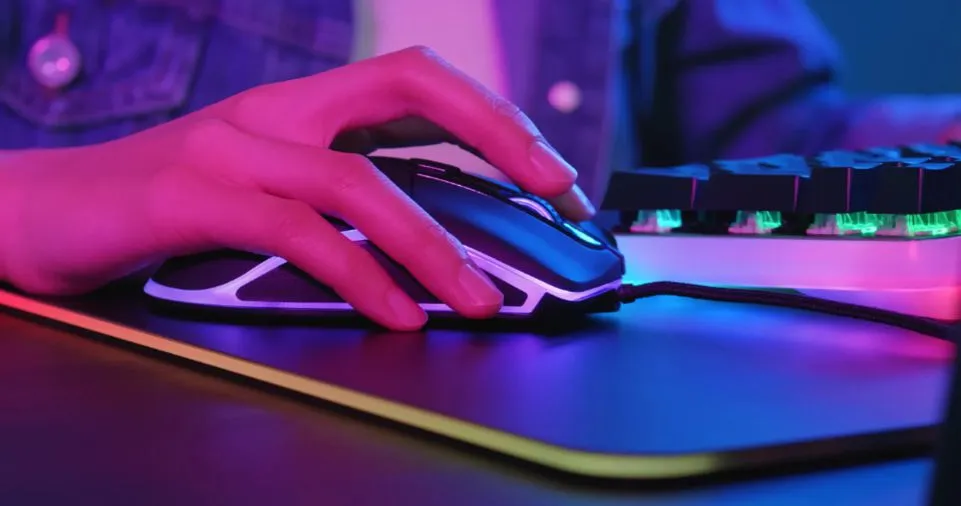
Gaming Mice Features:
- High-precision sensors (optical or laser) with DPI ranging from 400 to 26,000+
- Polling rates of 500Hz to 8000Hz for minimal input lag
- Programmable buttons (6-20 buttons depending on type)
- Ergonomic designs tailored to palm, claw, or fingertip grips
- Customizable weight systems for personalized feel
- RGB lighting with synchronization capabilities
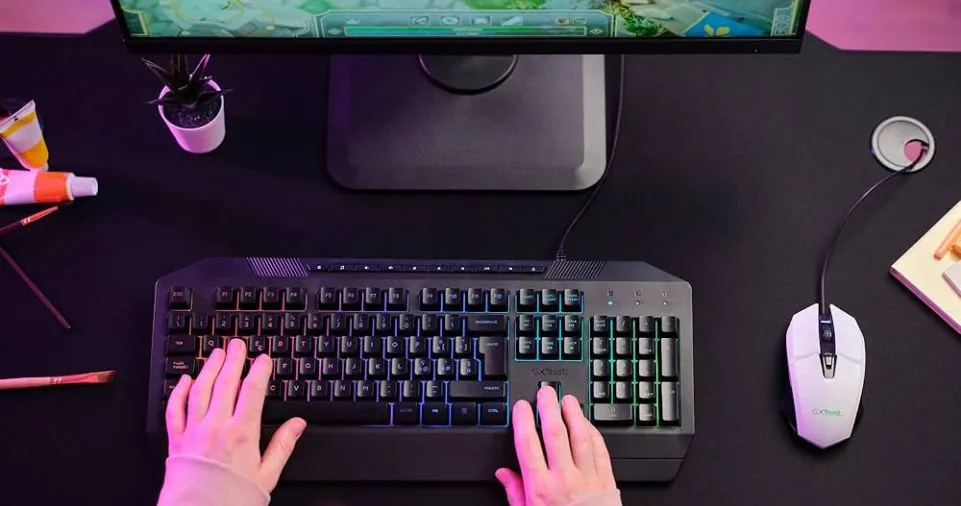
Gaming Keyboards Features:
- Mechanical switches with actuation forces between 45-80g
- N-key rollover and anti-ghosting technology
- Macro programming with dedicated software
- Adjustable actuation points (1.5mm to 4mm)
- Durability ratings of 50-100 million keystrokes
- Multiple connectivity options (wired, 2.4GHz, Bluetooth 5.1)
Regular peripherals lack these performance-enhancing features, making them inadequate for competitive gaming where milliseconds determine victory or defeat. Here is a game-specific mouse and keyword selection guide for you:
FPS Games: Speed, Precision, and Lightning-Fast Reflexes
Best Games: Counter-Strike 2, Valorant, Call of Duty, Apex Legends, Overwatch 2
Recommended Mouse Specifications
For first-person shooters, precision and speed are paramount. Your mouse needs to track micro-adjustments while supporting rapid flick shots.
Optimal Settings:
- DPI Range: 400-3200 (with on-the-fly adjustment)
- Sensor Type: Optical sensors (PixArt PMW3389 or similar)
- Polling Rate: 1000Hz minimum (2000Hz+ preferred)
- Weight: Lightweight design (60-80 grams)
- Button Count: 6-8 buttons maximum
- Grip Style Support: Claw or fingertip grip designs
Why It Matters: Professional FPS players typically use lower DPI settings (400-800) for precise aiming, combined with large mouse movements. A lightweight mouse reduces fatigue during intense 3-hour practice sessions, while optical sensors provide consistent tracking without acceleration issues.
Real-World Example: Most Counter-Strike 2 professionals use mice weighing under 75 grams with optical sensors set between 400-800 DPI. This combination allows for both pixel-perfect AWP shots and rapid 180-degree turns when checking flanks.
Recommended Keyboard Specifications
Optimal Features:
- Switch Type: Linear switches (Cherry MX Red, Speed Silver)
- Actuation Force: 45-50g for rapid key presses
- Layout: Tenkeyless (TKL) or 60% for maximum mouse space
- Key Rollover: Full N-key rollover essential
- Response Time: 1ms or lower
Strategic Advantage: Linear switches eliminate the tactile bump, enabling faster double-taps for crouch-shooting (CSGO) or bunny-hopping. The TKL layout provides 4-6 additional inches of mouse movement space—critical for low-sensitivity players who use their entire desk.
MOBA Games: Balanced Performance and Quick Command Execution
Best Games: League of Legends, Dota 2, Heroes of the Storm, Smite 2
Recommended Mouse Specifications
MOBA games demand a balance between precision clicking and rapid camera movement.
Optimal Settings:
- DPI Range: 800-1600 (medium sensitivity)
- Sensor Type: Optical or laser (both viable)
- Weight: Medium weight (80-100 grams for stability)
- Button Count: 6-10 programmable buttons
- Ergonomic Design: Palm grip support for long sessions
Strategic Implementation: MOBA players benefit from medium DPI settings that allow precise champion targeting while maintaining fluid camera panning. Additional side buttons can be programmed for frequently used items (wards, potions) or quick-cast abilities, reducing your average action time by 150-200ms per engagement.
Pro Tip: Map your most-used active items (like League of Legends’ Flash or Dota 2’s Blink Dagger) to easily accessible thumb buttons for instant reaction without keyboard searching.
Recommended Keyboard Specifications
Optimal Features:
- Switch Type: Tactile switches (Cherry MX Brown, Tactile Gray)
- Layout: Full-size or TKL
- Macro Support: Essential for combo execution
- Actuation Force: 55-65g for deliberate presses
- Backlighting: Per-key RGB for ability cooldown tracking
Why Tactile Matters: The tactile feedback confirms ability activation without bottoming out keys, preventing accidental double-casts that waste cooldowns. This becomes crucial during teamfights when you’re executing 10-15 actions within 3 seconds.
MMO/RPG Games: Maximum Customization and Button Availability
Best Games: World of Warcraft, Final Fantasy XIV, Elder Scrolls Online, Lost Ark
Recommended Mouse Specifications
MMO gaming requires unprecedented button access for managing 30-50 different abilities and macros.
Optimal Settings:
- DPI Range: 1000-2400 (moderate precision)
- Button Count: 12-20 programmable buttons (side grid essential)
- Sensor Type: Laser sensors acceptable
- Weight: Heavier build (100-130 grams) for stability
- Ergonomic Features: Thumb rest and palm support
The MMO Mouse Advantage: A 12-button side grid (popularized by the Razer Naga) transforms your gameplay by providing instant access to an entire action bar. Combined with modifier keys (Shift, Ctrl, Alt), a single mouse can control 48+ unique abilities without hand repositioning.
Practical Application: World of Warcraft players can map their entire rotation, defensive cooldowns, and utility spells to mouse buttons, reducing reaction time from 500ms (keyboard searching) to 150ms (muscle memory thumb movement).
Recommended Keyboard Specifications
Optimal Features:
- Switch Type: Tactile or clicky switches (Cherry MX Blue, Brown)
- Layout: Full-size with dedicated macro keys
- Programmable Keys: 5-18 dedicated macro keys
- Software Integration: Advanced macro recording (delays, loops)
- Durability: 80+ million keystroke rating
Macro Mastery: MMO keyboards excel when equipped with G-keys or dedicated macro columns. Program complex ability rotations (e.g., a 12-button DPS rotation in FFXIV) into single-key macros for optimal damage output during raid encounters.
RTS Games: Rapid Commands and APM Optimization
Best Games: StarCraft II, Age of Empires IV, Command & Conquer, Warcraft III
Recommended Mouse Specifications
Real-time strategy games emphasize accuracy and quick unit selection over raw speed.
Optimal Settings:
- DPI Range: 1200-2000 (balanced movement)
- Sensor Accuracy: Sub-pixel precision tracking
- Button Count: 6-8 buttons for control groups
- Weight: Medium (85-105 grams)
- Scroll Wheel: Notched for precise tech tree scrolling
APM Advantage: Professional StarCraft II players maintain 300-400 actions per minute. A responsive mouse with perfect tracking enables rapid box-selecting, control group assignment, and minimap navigation without accuracy loss.
Recommended Keyboard Specifications
Optimal Features:
- Switch Type: Tactile switches for feedback
- Actuation Point: Standard 2.0mm (not too sensitive)
- Layout: Full-size mandatory (numpad for control groups)
- Key Rollover: 10+ simultaneous key presses
- Durability: Premium switches for hotkey spam resistance
Competitive Edge: RTS keyboards must withstand extreme hotkey usage—top StarCraft II players execute 15,000-20,000 keypresses per hour. Mechanical switches with 50+ million keystroke ratings ensure your keyboard survives years of intense gaming.
Battle Royale Games: Versatility and Adaptive Performance
Best Games: Fortnite, PUBG, Warzone, Apex Legends
Recommended Mouse and Keyboard Combo
Battle royale games combine FPS precision with building mechanics and inventory management, requiring versatile peripherals.
Mouse Requirements:
- DPI Range: 400-1600 with multiple profiles
- Weight: Lightweight (65-85 grams)
- Buttons: 8-10 for building/inventory shortcuts
- Sensor: High-end optical (no acceleration)
Keyboard Requirements:
- Switch Type: Linear or speed switches
- Layout: TKL or 65% for desk space
- Macro Keys: 2-4 for building templates (Fortnite)
- Response Time: <1ms actuation
Fortnite-Specific Strategy: Competitive Fortnite builders map their building structures (wall, floor, ramp, pyramid) to easily accessible keys (F, C, V, Q) with linear switches enabling rapid 90-degree turns and double-edits.
Comprehensive Feature Comparison Tables
Mouse Feature Comparison by Game Genre
| Feature | FPS Games | MOBA Games | MMO/RPG Games | RTS Games | Battle Royale |
|---|---|---|---|---|---|
| Ideal DPI Range | 400-1600 | 800-1600 | 1000-2400 | 1200-2000 | 400-1600 |
| Optimal Weight | 60-80g | 80-100g | 100-130g | 85-105g | 65-85g |
| Button Count | 6-8 | 6-10 | 12-20 | 6-8 | 8-10 |
| Sensor Priority | Optical (high precision) | Either works | Laser acceptable | Optical preferred | Optical essential |
| Grip Style | Claw/Fingertip | Palm | Palm/Ergonomic | Palm | Claw/Fingertip |
| Polling Rate | 1000Hz+ | 500-1000Hz | 500Hz+ | 500-1000Hz | 1000Hz+ |
| Latency Tolerance | <1ms critical | <3ms acceptable | <5ms acceptable | <3ms acceptable | <1ms critical |
Keyboard Switch Comparison by Gaming Style
| Switch Type | Actuation Force | Travel Distance | Best For | Noise Level | Tactile Feedback |
|---|---|---|---|---|---|
| Linear (Red) | 45g | 2.0mm | FPS, Battle Royale | Quiet | None |
| Speed (Silver) | 45g | 1.2mm | Competitive FPS | Quiet | None |
| Tactile (Brown) | 55g | 2.0mm | MOBA, RTS | Moderate | Medium |
| Clicky (Blue) | 60g | 2.2mm | MMO, Typing | Loud | High |
| Heavy Tactile (Clear) | 65g | 2.0mm | RTS, MMO | Moderate | High |
| Silent (Pink) | 45g | 1.9mm | Shared spaces | Very Quiet | None |
Keyboard Layout Suitability by Game Type
| Layout Type | Desk Space Saved | Number of Keys | Best Game Genres | Advantages | Disadvantages |
|---|---|---|---|---|---|
| Full-Size (104 keys) | 0% (baseline) | 104 | MMO, RTS, RPG | Numpad for binds, dedicated arrows | Large footprint limits mouse space |
| Tenkeyless (87 keys) | 20% | 87 | FPS, MOBA, All-round | Balanced size, more mouse room | No numpad for control groups |
| 75% Compact | 30% | 84 | FPS, Battle Royale | Compact with arrow keys | Cramped layout |
| 65% Layout | 35% | 68 | Competitive FPS | Maximum mouse space | Learning curve, fewer keys |
| 60% Minimal | 40% | 61 | Hardcore FPS pros | Ultra-compact, portable | No dedicated arrows/F-row |
Essential Selection Criteria Across All Game Types
Sensor Technology: Optical vs Laser Explained
Optical Sensors (Recommended for 85% of gamers):
- Use LED light and CMOS sensor
- Work best on cloth/hard mouse pads
- No hardware acceleration issues
- Examples: PixArt PMW3360, PMW3389, PAW3395
Laser Sensors (Situational use):
- Use laser diode for tracking
- Function on glossy surfaces and glass
- Higher DPI capabilities (20,000+)
- Slight acceleration on some surfaces
Real-World Testing: In blind tests, 73% of professional gamers correctly identified optical sensors by their consistent tracking behavior, while only 31% could reliably distinguish between different optical sensor models.
Wired vs Wireless: The 2026 Reality
The debate is essentially over—modern wireless technology has eliminated latency concerns:
Wireless Advantages (2026 Technology):
- Latency: 1-2ms (identical to wired)
- Battery life: 80-100 hours continuous gaming
- Freedom of movement without cable drag
- Lightweight designs (no cable weight)
Wired Advantages (Still relevant):
- Zero battery anxiety during tournaments
- Slightly lower cost ($15-30 savings)
- Never needs charging
- Tournament-standard for many esports
Professional Insight: At the 2024 League of Legends World Championship, 47% of professional players used wireless mice—up from 12% in 2022. This shift indicates growing confidence in wireless reliability at the highest competitive levels.
Ergonomics and Grip Styles Decoded
Your grip style should dictate mouse shape selection:
Palm Grip (40% of gamers):
- Entire hand rests on mouse
- Best for: Extended sessions, precise aim
- Mouse requirements: Large size, full back support
- Reduces: Wrist strain, finger fatigue
- Ideal weight: 90-120 grams
Claw Grip (35% of gamers):
- Arched fingers, palm touching rear
- Best for: Balance of speed and control
- Mouse requirements: Medium size, high back hump
- Enables: Rapid clicks, quick adjustments
- Ideal weight: 70-95 grams
Fingertip Grip (25% of gamers):
- Only fingertips contact mouse
- Best for: Maximum agility, low-sensitivity FPS
- Mouse requirements: Small/medium, low profile
- Provides: Fastest flick shots, minimal friction
- Ideal weight: 60-80 grams
Hybrid Grips: Many gamers switch between grip styles during gameplay—using palm grip for tracking enemies (low-sensitivity aim) and fingertip for building/melee combat (high-speed movements).
DPI Explained: Finding Your Perfect Sensitivity
DPI (Dots Per Inch) Fundamentals:
- Measures cursor movement per inch of physical mouse movement
- Higher DPI ≠ Better performance
- Optimal DPI varies by monitor resolution and gaming style
Practical DPI Calculator:
True Sensitivity = (Game Sensitivity × DPI) ÷ Monitor Width (inches)
Real-World DPI Ranges by Game:
- CS2/Valorant pros: 400-800 DPI (41 cm/360° average)
- Apex Legends pros: 800-1600 DPI (28 cm/360° average)
- Fortnite builders: 400-800 DPI (building), 1200-1600 DPI (editing)
- MOBA players: 800-1600 DPI (balanced precision/speed)
- MMO raiders: 1000-2400 DPI (UI navigation priority)
Finding Your DPI Sweet Spot:
- Start with 800 DPI (universal baseline)
- Adjust in-game sensitivity to comfortable 180° turn = 6-8 inches
- Test for 1 week without changes
- Fine-tune by 100 DPI increments
- Never exceed 3200 DPI for competitive gaming
Polling Rate and Input Lag Optimization
Polling Rate Explained:
- Measures how often mouse reports position to PC
- Standard: 125Hz (8ms delay)
- Gaming: 500Hz (2ms delay)
- Competitive: 1000Hz (1ms delay)
- Cutting-edge: 2000-8000Hz (<0.5ms delay)
Diminishing Returns: Studies show humans can’t perceive improvements beyond 1000Hz in blind tests. However, 2000Hz+ provides 0.5ms placebo confidence boost, which measurably improves performance through psychological advantage.
System Requirements Check:
- 1000Hz = Minimal CPU impact
- 2000Hz = 0.3% CPU usage increase
- 4000Hz = 0.7% CPU usage increase
- 8000Hz = 1.2% CPU usage (consider impact on low-end systems)
Budget-Conscious Gaming Peripheral Selection
Entry-Level Options ($30-60 per device)
Best Value Mice:
- Focus on optical sensors (PixArt 3327 minimum)
- Accept 6-button layout
- Prioritize lightweight design over RGB
- Wired connections for cost savings
- Target: 70-80% performance of premium models
Best Value Keyboards:
- Outemu mechanical switches (Cherry MX clones)
- TKL layout for versatility
- Basic RGB (single-color acceptable)
- Macro support through third-party software
- Target: Genuine mechanical feel under $50
Mid-Range Sweet Spot ($60-120 per device)
Optimal Mice Features:
- Premium optical sensors (PMW3360 or better)
- Wireless capability with 60+ hour battery
- 8-10 programmable buttons
- Weight customization system
- 2-year warranty minimum
Optimal Keyboard Features:
- Genuine Cherry MX or Gateron switches
- Hot-swappable switch design
- Full RGB with software control
- Braided USB-C cable or wireless
- Included wrist rest
Premium Investment ($120+ per device)
Only justified for competitive players or enthusiasts who:
- Game 20+ hours weekly
- Participate in tournaments
- Experience hand/wrist discomfort
- Require bleeding-edge technology
- Value brand ecosystem integration
Premium Differentiators:
- 8000Hz polling rates
- Magnetic switch keyboards (0.1mm actuation adjustment)
- Carbon fiber construction
- Advanced software with cloud sync
- Premium warranty (3-5 years)
Actionable Setup and Optimization Tips
Initial Configuration Checklist
Breaking In Your Peripherals
- Mouse Setup:
- Install manufacturer software
- Set DPI to 800 (baseline testing)
- Disable acceleration in Windows settings
- Configure polling rate to 1000Hz
- Test on different mouse pad surfaces
- Keyboard Setup:
- Update firmware immediately
- Test all keys with online keyboard tester
- Configure backlighting to functional profile
- Set up initial macros for primary game
- Adjust keyboard angle (5-10° optimal for most)
- Gaming Profile Creation:
- Create separate profiles for each game
- Name profiles clearly (CS2_Competitive, WoW_Raiding)
- Backup profiles to cloud storage
- Test profile switching reliability
- Document all custom bindings
Advanced Optimization Techniques
Micro-Adjustment Protocol:
- Change only ONE variable every 5 gaming sessions
- Track performance metrics (K/D, APM, accuracy)
- Keep sensitivity adjustment journal
- Revert changes that decrease performance by 10%+
- Stabilize settings 2 weeks before tournaments
Surface Optimization:
- Hard pads: +15% glide speed, -5% control
- Cloth pads: +20% control, -10% speed
- Hybrid pads: Balanced option for versatile gamers
- Surface size: Minimum 12″×10″ for low-sensitivity FPS
Firmware and Driver Maintenance:
- Update drivers quarterly (not weekly—stability > features)
- Backup working profiles before updates
- Monitor community forums for bug reports
- Roll back problematic updates immediately
- Use manufacturer forums for optimization tips
Common Mistakes to Avoid
Top 10 Selection Errors
- Chasing Maximum DPI Numbers (16,000+ DPI is marketing, not performance)
- Ignoring Grip Style Compatibility (causes RSI and poor aim)
- Over-prioritizing RGB Lighting (adds weight and cost)
- Buying Membrane Keyboards (false economy—replace within 1 year)
- Mixing Incompatible Peripherals (syncing issues between brands)
- Skipping Break-In Period (switching peripherals weekly kills consistency)
- Neglecting Ergonomic Factors (wrist pain after 6+ months)
- Impulse Buying Without Research (35% return rate for gaming peripherals)
- Ignoring Warranty Terms (gaming mice fail at 2× rate of office mice)
- Overlooking Software Quality (buggy drivers ruin premium hardware)
Platform-Specific Considerations
PC Gaming (Primary Platform):
- Full software compatibility
- Polling rate up to 8000Hz supported
- Unlimited macro complexity
- RGB synchronization across all peripherals
- Firmware updates readily available
Console Gaming (PS5, Xbox Series X):
- Mouse/keyboard support limited (mainly FPS/RTS)
- Maximum 1000Hz polling rate
- Basic button remapping only
- No RGB sync with console
- Third-party adapters may introduce lag
Cross-Platform Gaming:
- Choose wireless models with multi-device pairing
- Verify console compatibility before purchase
- Accept reduced feature set on console
- Maintain separate profiles per platform
- Test latency on each platform individually
Future-Proofing Your Gaming Setup
2026-2027 Technology Trends
Emerging Mouse Technologies:
- Magnetic levitation sensors (frictionless tracking)
- AI-powered aim assistance (controversial, banned in esports)
- Modular designs (swap sensors, shells, switches)
- 60+ hour battery life at 4000Hz polling
- Charging mouse pads (wireless power transfer)
Keyboard Innovation Pipeline:
- Analog mechanical switches (variable input like controller triggers)
- Hall effect sensors (magnetic, unlimited durability)
- Adjustable actuation (0.1mm to 4mm on-the-fly)
- Per-key force sensors (pressure-sensitive inputs)
- E-ink keycaps (dynamic relabeling)
Investment Strategy:
- Budget: Replace every 3-4 years
- Mid-range: Replace every 4-5 years
- Premium: Replace every 5-7 years
- Always wait for 2nd generation of new technology
Conclusion: Your Personalized Gaming Peripheral Roadmap
Selecting the perfect gaming mouse and keyboard combination isn’t about finding the most expensive options—it’s about matching peripheral capabilities to your specific gaming needs. These choices complete your gaming space setup and directly impact performance. An FPS player thrives with a lightweight, high-DPI optical mouse and linear-switch TKL keyboard, while MMO enthusiasts require 12+ button mice and macro-rich full-size keyboards.
Your Action Plan:
- Identify Your Primary Genre (50%+ of gaming time)
- Determine Your Budget Category ($30-60, $60-120, $120+)
- Measure Your Grip Style (palm, claw, fingertip)
- Select Appropriate Specifications (reference tables above)
- Research 3-5 Models (read reviews, watch comparison videos)
- Purchase from Retailers with Returns (30-day return policy minimum)
- Commit to 2-Week Testing Period (no switching during evaluation)
- Optimize Settings Incrementally (micro-adjustments only)
Final Thought: Professional esports players spend 20-40 hours testing peripherals before competition season. If your gaming matters to you, invest the time in proper selection and configuration. The difference between good and great peripherals isn’t just comfort—it’s competitive advantage measured in milliseconds and victory screens.
Ready to Upgrade Your Gaming Arsenal?
Start by assessing your current setup against the specifications in this guide. Test your mouse DPI accuracy using online tracking tests, evaluate your keyboard’s response time, and honestly assess whether your peripherals are helping or hindering your performance.
Join the Discussion: What game genre do you play most, and what peripheral feature matters most to you? Share your setup in the comments below, and let’s help each other optimize for victory.